Persona
What is a persona?
A persona is a fictional, research-based character that represents a user type. It summarises goals, behaviours, pain points, and context so the team designs for someone concrete instead of "the user".
Use it when: you need a shared reference for who you're designing for and why. Personas help prioritise features and evaluate ideas ("Would this work for Sarah?").
Copy/paste template
- Name (memorable, not real)
- Role / context: [what they do; when they'd use your product]
- Goals: [2–3 things they're trying to achieve]
- Pain points: [2–3 frustrations or blockers]
- Quote: [one line that captures their perspective]
- Behaviours: [how they find info, make decisions, use tools]
Keep it to one page. Add a photo or illustration only if it helps the team; avoid stereotype-heavy stock art.
Why personas matter
- Make users tangible so the team can empathise and debate with a shared "who".
- Support prioritisation: which persona are we serving first?
- Improve communication with stakeholders by making needs concrete.
- Reduce the risk of designing for yourself or for vague "users".
What a good persona includes
Checklist
- Based on research (interviews, data), not assumptions alone.
- Represents a segment with shared needs and behaviours, not one individual.
- Includes goals and pain points, not just demographics.
- Actionable: the team can use it to make design and product decisions.
- Differentiated: each persona is distinct; if two could be merged, merge them.
Common formats
- Research-based persona: built from user research; the default for product work.
- Proto-persona: assumption-based, quick draft before research; label it as such and replace when you have data.
Examples
Example (the realistic one)
Sarah, the time-poor project lead. She runs multiple projects and spends hours chasing updates. Goals: see status at a glance, avoid surprises before exec reviews. Pain points: updates live in email and Slack; she doesn't know who's blocked. Quote: "I just need to know what's at risk before the meeting." Behaviours: checks tools in the morning; prefers dashboards over digging through threads.
Common pitfalls
- Demographics without behaviour: age and job title don't predict needs. → Do this instead: focus on goals, context, and pain points; add demographics only when they affect behaviour.
- Too many personas: eight personas means none get used. → Do this instead: 3–5 max; merge or drop the rest.
- Based on guesses: "we think our users want…" → Do this instead: label as proto-persona or do user research first.
- Static: never updated after launch. → Do this instead: revisit when you learn something that changes who you're building for.
Persona vs. related concepts
- Persona vs job story: personas describe who. Job stories describe when and what job. Use both: personas for "who is Sarah?", job stories for "what job is she hiring us for?".
- Persona vs segment: a segment is a group in your data. A persona is a humanised summary of that group for design and communication.
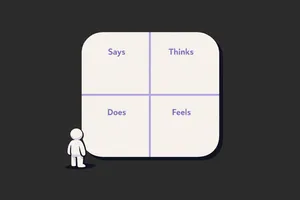
- Persona vs empathy map: an empathy map is a workshop format (think/feel/see/do). A persona is the output you keep and share.
Related terms
- User research – the source for research-based personas.
- Jobs to be done – the job and context; combine with persona for "who" and "when".
- Empathy map – workshop tool to build empathy before or while creating personas.
- User stories – the "as a [persona]" in user stories; keep personas and stories aligned.
- User journey – map the journey for each key persona.
- Problem statement – problem is often framed for a specific persona or segment.
- Design thinking – personas often appear in the "define" phase.
Next step
If you don't have personas yet, run a few user research sessions and synthesise into one persona using the template. If you have them, check they're still grounded in evidence and used in user stories and prioritisation.
Related Articles
-
Product Designers and AI: Staying Human-Centered
The product design field is experiencing its most significant transformation since the shift from print to digital. AI tools can now generate...
-
Empathy Maps: How to Use Them Without Wasting a Workshop
The empathy map goes on the wall on a Tuesday. By Thursday, nobody looks at it. By the following Monday, someone has pinned a sprint schedule on top...